
FF Kipas for Android
FF Kipas works best on Android devices. Most players use it on smartphones and tablets because Android allows more flexibility with performance settings, background processes, and configuration options. This page explains everything you need to know about using the app on Android from compatibility and setup to expected results and practical tips.
Android is the primary platform for FF Kipas. The tool focuses on helping the device manage resources more efficiently while Free Fire is running. This can improve frame stability, reduce lag caused by background activity, and give you finer control over sensitivity and HUD layout.
Why Android Works Well with FF Kipas
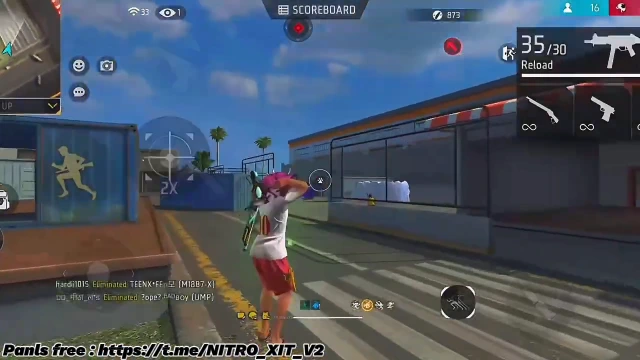
Android gives more room for system-level adjustments compared to other platforms. This app uses this flexibility to reduce unnecessary background activity, free up memory, and help Free Fire run with better consistency. Players on budget and mid-range phones often notice the biggest difference because these devices usually struggle with limited RAM and thermal throttling.
The tool does not require root access on most versions. This keeps the setup simple and reversible. You can install it, adjust the settings you need, and remove it later if you want without making permanent changes to your system.
Device Compatibility on Android
FF Kipas supports a wide range of Android devices. Most current versions work on Android 6.0 and above. For the smoothest experience, Android 7.0 or higher is recommended.
RAM plays an important role:
– 1 GB – 2 GB: Useful for reducing background load and improving basic stability. Keep graphics low and close other apps.
– 3 GB – 4 GB: Often shows the best balance of smoother frames and responsive controls.
– 6 GB and above: Gains are smaller because the hardware already has more headroom, but sensitivity and HUD options still help.
Storage space also matters. Make sure you have enough free space for the APK and any configuration files. A few hundred megabytes of free storage is usually enough.
Different chipsets can produce different results. Devices with stronger processors generally handle performance settings better than very low-end chipsets, even with the same amount of RAM.
How to Install FF Kipas on Android
The installation process is straightforward on most phones.
1. Download the version that matches your current Free Fire build.
2. Open your phone’s Settings and go to Security or Apps.
3. Allow installation from the source you used (browser or file manager).
4. Open the downloaded APK file and confirm the installation.
5. Once installed, open the apk and complete any on-screen setup steps.
6. Adjust performance, sensitivity, and HUD options according to your preference.
7. Launch Free Fire and test the results in a training match first.
After installation, you can disable the “install from unknown sources” permission again for better device security.
Performance Expectations on Android
Results vary by device, but many players report more consistent frame rates and better touch response after applying the settings. On lower-RAM phones, closing background apps and using moderate graphics settings alongside FF Kipas usually gives the most noticeable improvement.
On mid-range devices, the combination of reduced background load and finer sensitivity controls often feels more responsive during close fights and quick camera movements. High-end phones already perform well, so the main benefit tends to come from custom sensitivity and HUD layout rather than large FPS jumps.
Temperature and battery also play a role. Keeping your phone cool and avoiding long charging sessions while playing helps maintain stable performance.
Useful Tips for Android Users
– Start with moderate settings instead of applying every option at once.
– Test sensitivity changes in training mode before ranked matches.
– Keep at least 20–25% storage free for smoother overall performance.
– Close social media, browser, and other heavy apps before launching Free Fire.
– Update this app when a new Free Fire version is released so compatibility stays current.
– Avoid running multiple optimization tools at the same time.
Common Issues and Simple Fixes
If the app does not open, restart your phone and clear the cache. If installation fails, check that you have enough storage and that the APK matches your device architecture (32-bit or 64-bit). A stuck loading screen can sometimes be fixed by switching to a stable Wi-Fi connection or disabling extra proxy options temporarily.
Final Notes for Android
Android remains the most suitable platform for FF Kipas. With the right version, basic device care, and sensible settings, many players experience smoother gameplay and better control. Always match the tool version with your Free Fire build and download only from sources you trust.